

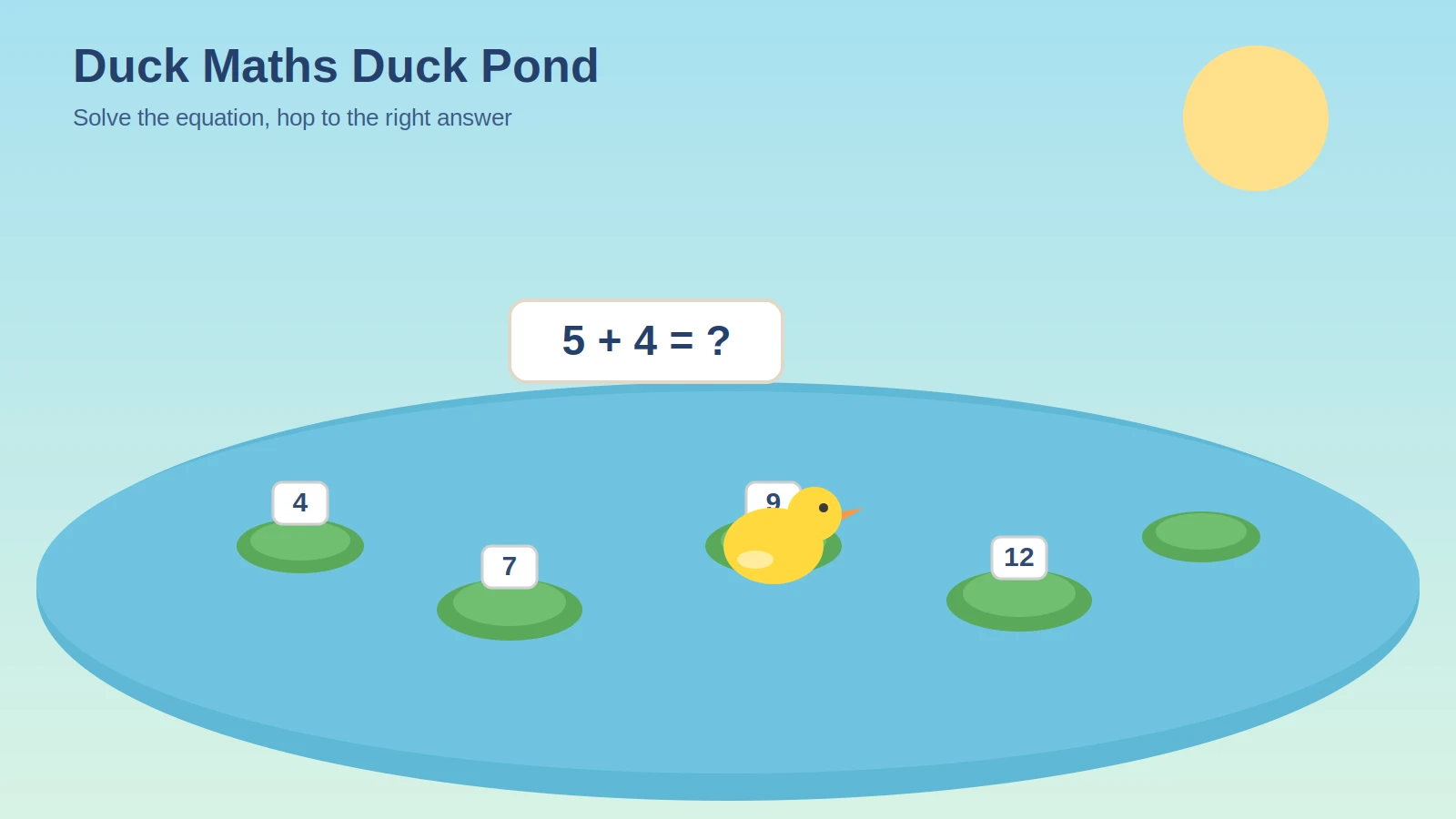
Somewhere between a flashcard drill and an actual video game sits Duck Maths, the pond themed arithmetic game that’s quietly become one of the more requested titles on classroom computers and school Chromebooks. If you’ve searched duck maths duck pond and landed here, you’re probably trying to figure out one of three things, what the game actually is, how the controls work, or why your kid keeps asking to play it after homework is already done.
This guide answers all three, plus a few things most other pages on this topic skip entirely.
Duck Maths Duck Pond: solve the equation, then hop to the correct lily pad
What Is Duck Maths (Duck Pond)?
Duck Maths, more widely known by its original name Math Duck, is a browser based educational platformer where you guide a small yellow duck through a pond themed obstacle course made of lily pads, platforms, spikes, and locked doors. The core hook is simple, every door is locked behind a math equation, and you can’t move forward until you solve it correctly.
It runs entirely on HTML5, so there’s no download, no plugin, and no account required. That’s part of why it shows up so often on school gaming portals, IT departments tend to allow lightweight browser games like this one while blocking heavier app based titles.
The math itself starts with basic addition and subtraction and scales up through later levels into multiplication and division, with the sequel title Times Tables Duck built specifically around multiplication practice once a player has outgrown the original.
Duck Maths Duck Pond at a Glance
| Genre | Educational platformer, math puzzle |
| Platform | Browser, HTML5, desktop and mobile |
| Controls | Keyboard movement plus number selection |
| Cost | Free to play |
| Levels | Around eighteen in the original title |
| Math covered | Addition, subtraction, multiplication, division |
Two Versions You’ll Run Into, and Why That Matters
Here’s something almost nobody explains clearly, and it’s the single biggest source of confusion around this keyword. Search for duck maths duck pond and you’ll land on two genuinely different games that both get called by nearly identical names.
The first version is the platformer. You control the duck directly with your keyboard, running and jumping across a pond level while an equation sits in the corner of the screen. You collect number tiles scattered around the platforms to build the correct answer, then use that solved equation to unlock a door and reach the next section. Spiky enemies and gaps punish careless jumping, and a countdown timer adds pressure to each equation.
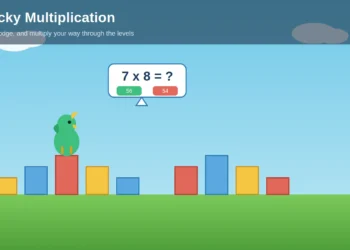
The second version, more common on kid focused learning sites, is a simpler click based game. Your duck hops across a row of lily pads, each one showing a possible answer to an equation displayed above the pond. You click or tap the correct lily pad, the duck hops to it, and you move on to the next question. There’s no jumping, no keyboard, and no risk of falling into the water from bad platforming, just answer accuracy.
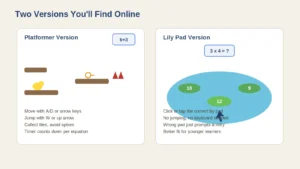
The platformer version versus the simpler lily pad clicking version
Both are legitimately fun, and both get referred to interchangeably as duck maths or duck pond math online, which is exactly why so many players end up confused about which controls apply to which version. If a walkthrough you find mentions jumping and spikes, you’re looking at the platformer. If it only talks about clicking lily pads, you’ve got the simplified pond version.
How to Play Duck Maths Duck Pond: Controls Breakdown
Since the controls genuinely differ between versions, here’s both, so you’re not stuck guessing which keys do what.
Platformer Version Controls
Movement uses either the A and D keys or the left and right arrow keys. Jumping is handled with W or the up arrow key. If you get stuck or fall into a hazard, R restarts the current level instantly rather than sending you back to the beginning of the whole game.
The equation for the current section sits in the top corner of the screen. Read it before you start moving, since number tiles are scattered around the platforms and you’ll need to physically walk your duck over to collect the ones that complete the equation correctly. Once the equation is solved, a key appears, letting you unlock the door and progress.
Lily Pad Version Controls
This version is built for mouse and touchscreen. An equation appears above the pond, and several lily pads float below it, each displaying a possible answer. Click or tap the pad with the correct answer, and your duck hops to it automatically. Get it wrong, and most versions simply prompt you to try again rather than ending the run outright, which makes this variant noticeably more forgiving and better suited to younger kids just starting with basic addition.
Objectives, Levels, and Scoring
In the platformer version, your objective on each level is to collect the correct number tiles, solve the equation, grab the key, and reach the exit door before either the timer runs out or you get hit by a hazard. There are roughly eighteen levels in the original Math Duck, with difficulty climbing steadily, early stages barely test the timer while later ones combine tight jumps with equations you need to solve almost instantly.
The lily pad version doesn’t really have a fail state in the traditional sense. Progress comes from answering correctly and moving through a sequence of ponds, sometimes with a score or streak counter tracking accuracy rather than survival.
Neither version relies on a complicated points system. The actual reward is progression itself, unlocking new levels, new pond environments, or in some versions new cosmetic accessories for your duck.
Tips and Strategies to Beat the Timer
A few habits separate players who breeze through this game from the ones who get stuck restarting the same level repeatedly.
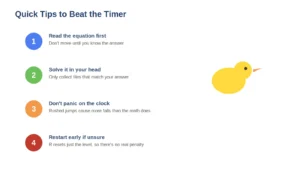
Four quick habits that make a real difference in Duck Maths Duck Pond
Read the equation before you move. In the platformer version especially, players who start running immediately and try to solve the math on the fly waste time backtracking once they realize which number tiles they actually need.
Do the math in your head first, then go collect. Once you know the answer, you only need to grab tiles that match it, everything else on the platform is a distraction, not a requirement.
Don’t panic on the timer. The countdown feels tighter than it actually is on early levels. Rushing a jump because the clock is ticking is usually what causes falls, not the math itself.
Use restart deliberately. Since R resets just the current level rather than the whole game, there’s no real penalty for restarting the moment you know you’ve made a mistake, rather than trying to recover mid level.
For the lily pad version, slow down instead of clicking the first plausible looking answer. Several answer options are usually close to the correct one on purpose, designed to catch careless quick math rather than genuine understanding.
Duck Maths vs Times Tables Duck
If you or your kid have cleared the original Duck Maths and are craving more, Times Tables Duck is the direct sequel, and it’s worth knowing what actually changes between them.
The gameplay mechanics are identical, same movement, same jumping, same key and door structure. What changes is the math itself. Times Tables Duck strips out addition and subtraction almost entirely and focuses purely on multiplication tables, making it a better fit for kids who’ve already got basic arithmetic down and are working specifically on times tables fluency.
If your goal is general arithmetic practice, stick with the original. If multiplication specifically is the target, the sequel is the more efficient choice.
Where to Play Duck Maths Duck Pond Online
Because this is an HTML5 game, it runs in any modern browser, Chrome, Firefox, Safari, and Edge all handle it without issue, and there’s nothing to install on desktop or mobile. It shows up across several education focused gaming portals and school friendly unblocked games sites, largely because it’s lightweight, ad light in most of its hosted versions, and doesn’t trip typical school network filters the way heavier gaming sites do.
Performance is generally smooth even on older school issued Chromebooks, which is a big part of why it’s stuck around as a go to option for teachers looking for a quick, low effort way to reinforce math during a transition period or indoor recess.
Is Duck Maths Free to Play?
Yes, across essentially every hosted version currently available, Duck Maths and its pond based variants are free with no login and no purchase required. Most hosting sites monetize through light advertising rather than charging for access, though ad presence varies noticeably depending on which portal you’re playing through, education focused sites tend to keep ads minimal or absent entirely.
There’s no subscription tier attached to the core game, and any cosmetic unlocks or accessory rewards in certain versions are earned through play rather than purchased.
Is Duck Maths Good for Classroom or Homeschool Use?
This is where the game genuinely earns its popularity rather than just riding on cute visuals. Because progress is gated behind correctly solved equations rather than optional bonus content, kids can’t actually skip past the math to keep playing, which isn’t true of a lot of so called educational games that bolt arithmetic onto gameplay as an afterthought.
Teachers commonly use it as a five to ten minute filler activity, transition time between lessons, early finisher work, or a reward slot after a longer math block. It fits comfortably into that role because sessions are short by design and don’t require setup beyond opening a browser tab.
That said, it’s not a replacement for structured math instruction, no educational game really is. It reinforces recall and speed on operations kids have already been taught, rather than introducing new concepts from scratch. Treat it as practice and reinforcement, not first exposure to a topic.
Common Problems and Fixes
A handful of issues come up repeatedly across player questions and classroom tech support threads.
The game won’t load or freezes on load, which is almost always a browser extension or ad blocker conflict. Disabling extensions temporarily or switching browsers usually resolves it, since the game relies on HTML5 rendering that some aggressive privacy tools interfere with.
Keyboard controls don’t respond in the platformer version, which typically happens when the game window itself isn’t focused. Click directly on the game area once before using keyboard input, this is a common oversight rather than an actual bug.
Timer feels unfairly short on a specific level, which is more often a sign that the equation needs to be read and solved before moving rather than during, rather than an actual game balance issue.
Is Duck Maths Safe for Kids?
The core game itself is genuinely low risk, no chat features, no user generated content, no real money purchases baked into gameplay. The concern, as with most free browser games aimed at kids, sits with the hosting website rather than the game.
Some smaller portals surround embedded games with third party ad networks that aren’t tightly moderated. If you’re setting this up for a younger kid or a classroom, stick to established, well known education gaming portals rather than obscure sites that turn up in a quick search, and keep an eye on what loads around the game frame rather than worrying about the game content itself.
Frequently Asked Questions
What is Duck Maths Duck Pond actually called?
The game is most widely known as Math Duck, with Duck Maths and duck pond math being common alternate search terms for the same title. There’s also a simplified lily pad clicking variant that shares the same name but plays very differently from the original platformer.
Do I need to download anything to play?
No. Duck Maths runs entirely in your browser through HTML5, so there’s nothing to install on desktop, Android, or iOS devices. You open the page and start playing immediately.
What math skills does the game cover?
The original title covers addition and subtraction, progressing into multiplication and division on later levels. The sequel, Times Tables Duck, focuses specifically on multiplication tables for kids who’ve already mastered basic arithmetic.
Why does my duck keep failing to unlock the door?
This usually means the number tiles collected don’t actually match the equation shown, rather than a control issue. Read the equation carefully before collecting tiles, since grabbing the wrong numbers won’t unlock anything even if you’re standing right at the door.
Can this be played on a school Chromebook?
Yes, in most cases, since it’s hosted on several school friendly and education focused gaming portals specifically because it’s lightweight and doesn’t require downloads, accounts, or admin permissions to run.
Is there a version for younger kids just learning to count?
The lily pad clicking version is generally the better starting point for younger or newer learners, since it removes the platforming and timer pressure and focuses purely on recognizing the correct answer.
Final Thoughts
Duck Maths earns its spot on classroom computers for a reason most flashy educational apps miss entirely, it doesn’t let you cheat your way past the learning part. Whether you end up on the platformer version with its keys and spikes, or the gentler lily pad variant built for younger players, the actual arithmetic stays the point rather than an obstacle between you and the fun part.
If your kid burns through this one and wants another simple, browser based way to keep practicing math without it feeling like homework, our guide to the blocky multiplication game covers a similarly styled title worth trying next.